Digitizing vs Vector Conversion: What’s the Real Difference?
If you’re in the custom apparel, printing, or embroidery industry, you’ve likely come across the terms digitizing and vector conversion. Many people assume they’re the same—but they’re not.
Understanding the difference between digitizing and vector conversion can save you time, money, and production errors. In fact, many design issues happen simply because the wrong process is used.
In this guide, we’ll break everything down so you know exactly when to use digitizing vs vector conversion.
What is Digitizing?
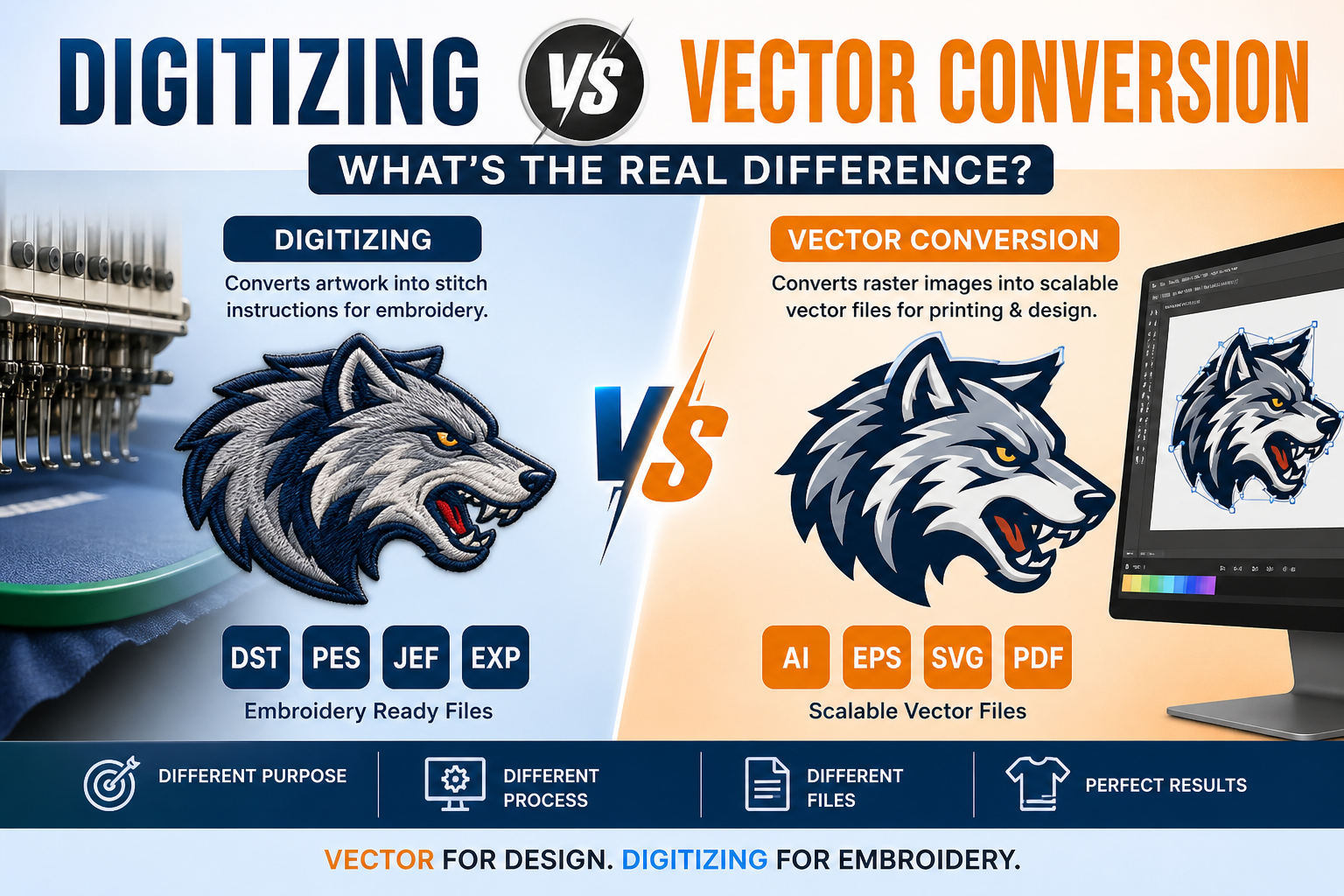
Digitizing (embroidery digitizing) is the process of converting artwork into a machine-readable embroidery file.
This file contains stitch instructions such as:
- Stitch type (satin, fill, run)
- Stitch direction
- Density
- Thread path
- Start and stop points
In simple terms, digitizing tells an embroidery machine how to stitch a design on fabric.
Learn more here:
what is embroidery digitizing
What is Vector Conversion?
Vector conversion is the process of converting raster images (JPG, PNG) into scalable vector formats such as:
- AI
- EPS
- SVG
Vector files use mathematical paths, allowing them to be resized without losing quality.
They are commonly used for:
- Screen printing
- DTG printing
- Logos and branding
- Vinyl cutting
- Signage
Digitizing vs Vector Conversion (Quick Comparison)
| Feature | Digitizing | Vector Conversion |
|---|---|---|
| Purpose | Embroidery | Printing & design |
| Output | DST, PES, JEF | AI, SVG, EPS |
| Machine | Embroidery machine | Printers, cutters |
| Process | Creates stitch instructions | Creates scalable paths |
| Use Case | Caps, polos, uniforms | T-shirts, banners, logos |
Simple rule:
Vector = clean design
Digitizing = stitch-ready file
Is Digitizing and Vectorizing the Same Thing?
No—digitizing and vectorizing are completely different.
- Vectorizing prepares artwork for scaling and printing
- Digitizing prepares artwork for embroidery stitching
Even if you have a vector file, it still needs digitizing before embroidery.
What Are the Three Types of Digitization?
1. Manual Digitizing
- Done by professionals
- Highest quality
- Full control over stitches
2. Auto Digitizing
- Software-based conversion
- Faster but less accurate
- Needs manual fixes
3. 3D Puff Digitizing
- Used for raised embroidery
- Popular for caps and logos
Can I Turn an SVG into an Embroidery File?
Yes—but not directly.
An SVG can be used as a base, but it must go through digitizing software where stitch instructions are added.
Think of it like this:
- SVG = blueprint
- Embroidery file = stitching instructions
Is Vector Conversion Good for Printing?
Yes—vector conversion is essential for high-quality printing.
- No pixelation when resizing
- Clean edges for screen printing
- Perfect for DTG and vinyl
Learn more:
Embroidery vs DTG Printing
When Should You Use Digitizing?
- Embroidery on apparel
- Caps, jackets, uniforms
- Need stitch-ready files (DST, PES)
Related guide:
best file format for embroidery (DST, PES, etc.)
When Should You Use Vector Conversion?
- Low-quality logo (JPG/PNG)
- Printing on shirts or banners
- Scalable branding design
Why You Often Need Both
Digitizing and vector conversion are not alternatives—they work together.
Typical workflow:
- Convert logo into vector format
- Use vector for printing
- Digitize for embroidery
This ensures consistency across all platforms.
Common Mistakes to Avoid
- Using vector files directly for embroidery
- Using embroidery files for printing
- Assuming one file works for everything
Final Thoughts
When comparing digitizing vs vector conversion, the difference is simple:
- Vector conversion = design & printing
- Digitizing = embroidery production
Both are essential for achieving professional results.
Need Professional Help?
Get started here:
Embroidery digitizing services


